> site manage // email setup // out of office
Out of office
in cPanel.
Set an autoresponder in cPanel Webmail at webmail.yourdomain.com.
Out of office (autoresponder)
-
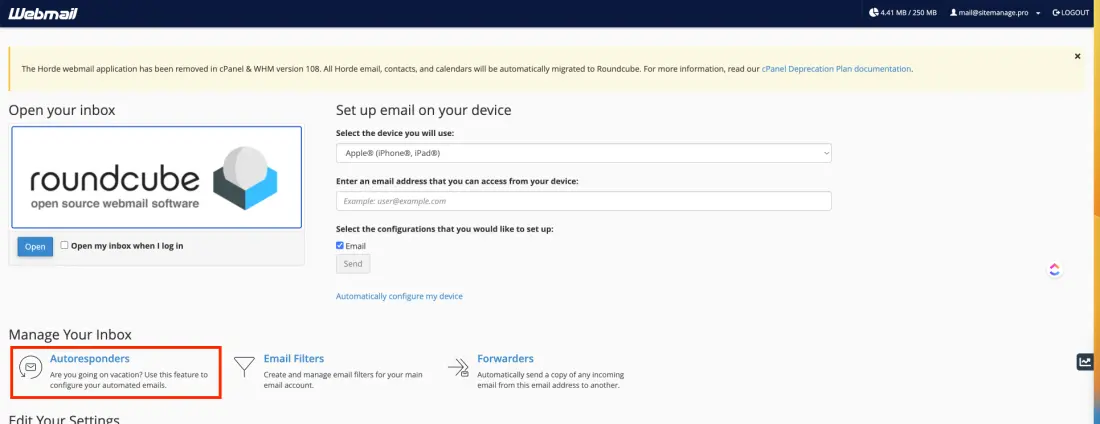
Log in to cPanel Webmail at webmail.yourdomain.com. Under Manage your inbox, select Autoresponders.
-
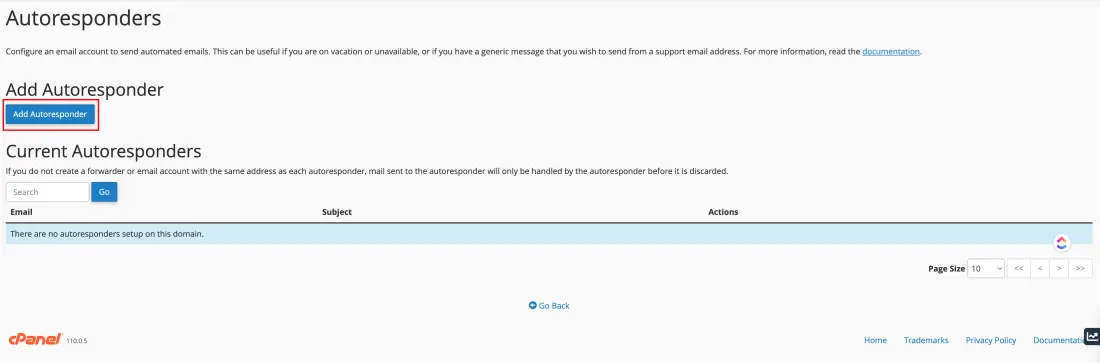
On the Autoresponders page, select Add Autoresponder.
-
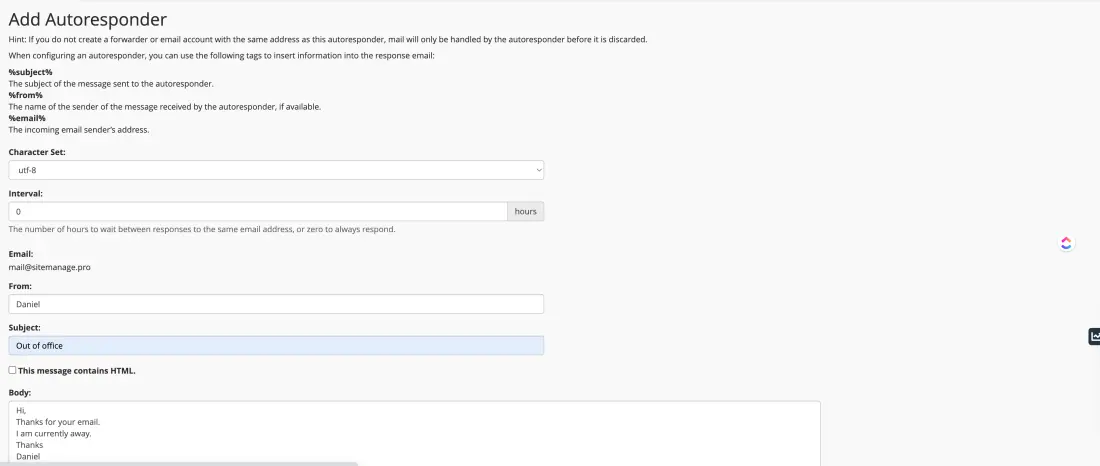
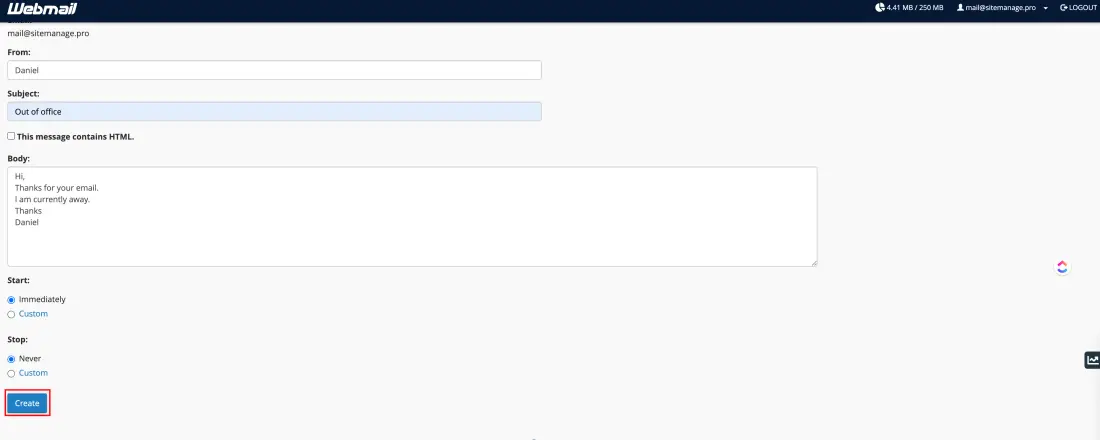
Enter the autoresponder details.
-
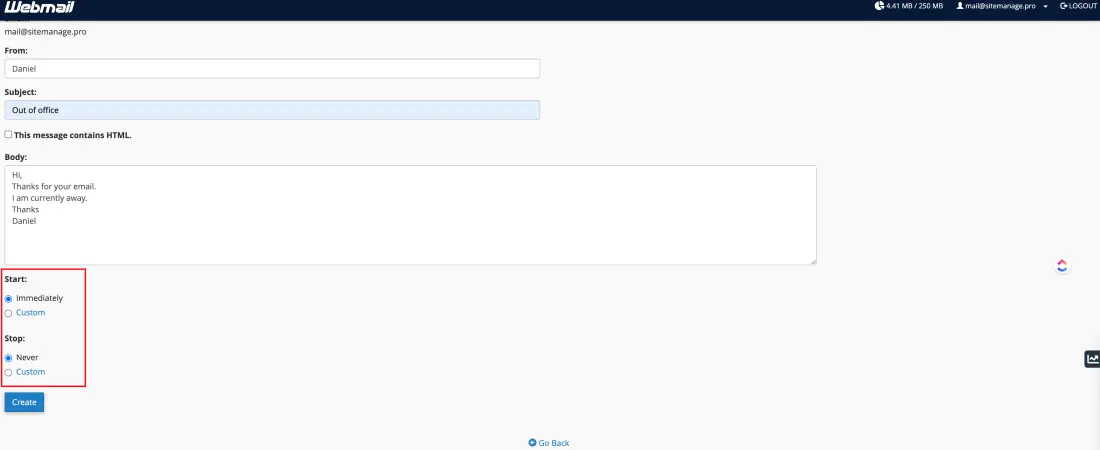
Select the time you want the autoresponder to start.
-
Select Create. Your new autoresponder appears in the list.